
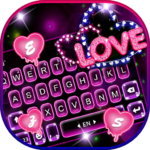
Neon Love Theme is a personalization app that allows users to extensively customize their mobile keyboard interface. It aims to enhance the typing experience by providing a wide array of options to personalize the keyboard’s appearance and functionality, including its background, fonts, emojis, and sounds. The app supports typing in over 150 languages and offers a vast selection of more than 6000 keyboard backgrounds and fonts, alongside tools for creating DIY themes, enabling users to tailor their keyboard to their preferences.
Keyboard Customization and Design
The app provides a comprehensive suite of tools for decorating your custom keyboard. Users can choose from over 6000 keyboard backgrounds and a variety of keyboard fonts to modify the visual style. Beyond static designs, Neon Love Theme also supports DIY themes, allowing for a more personalized creative approach. The customization extends to the layout, emojis, and even the sounds produced during typing.
Content Library and Updates
Neon Love Theme features an extensive library of visual content across numerous categories. Users can find themes and wallpapers covering styles such as 3D, cool, cute, romantic, cartoon, unicorn, cat, anime, lion, clown, sport, love, girl, skull, soccer, wolf, graffiti, car, neon, flower, music, and a spectrum of colors including black, gold, green, pink, red, purple, blue, and white. The app’s themes are updated regularly, with new designs frequently added to the collection.
Typing and Communication Features
Beyond aesthetics, the app integrates features to assist with typing efficiency and expression. It includes auto-correct functionality to help minimize typos and a next-word prediction system designed to facilitate smoother communication. When composing messages, users can easily add emoticons, text, GIFs, and stickers directly through the keyboard interface.
App Installation and Application
To begin using Neon Love Theme, users must download it from the Play Store and then open the app. The workflow involves clicking the APPLY button or selecting a preview picture of a Neon Love Keyboard Theme. Once installed and applied, users can press Finish to activate and enjoy the personalized keyboard experience. Recent updates for version 11.0.2.1016 included new designs, a larger selection of free themes, and improved visual interaction on the home page, alongside enhanced launch speed and better stability.







Write a review